


CoffeeLock
CoffeeLock is a menu bar app for Mac that automatically prevents your Mac from sleeping – as long as your GPU or CPU is actually busy.
Learn more
CoffeeLock – Prevents Sleep Under Load
Menu bar app for Mac
The Problem
Long render jobs, AI training, or image generation often run in the background while you’re not actively using your Mac. macOS can go to sleep in this situation – pausing or interrupting a running job.
The classic fix is caffeinate -s in Terminal. It works, but has to be started manually every time – and stopped again afterward.
The Solution: CoffeeLock
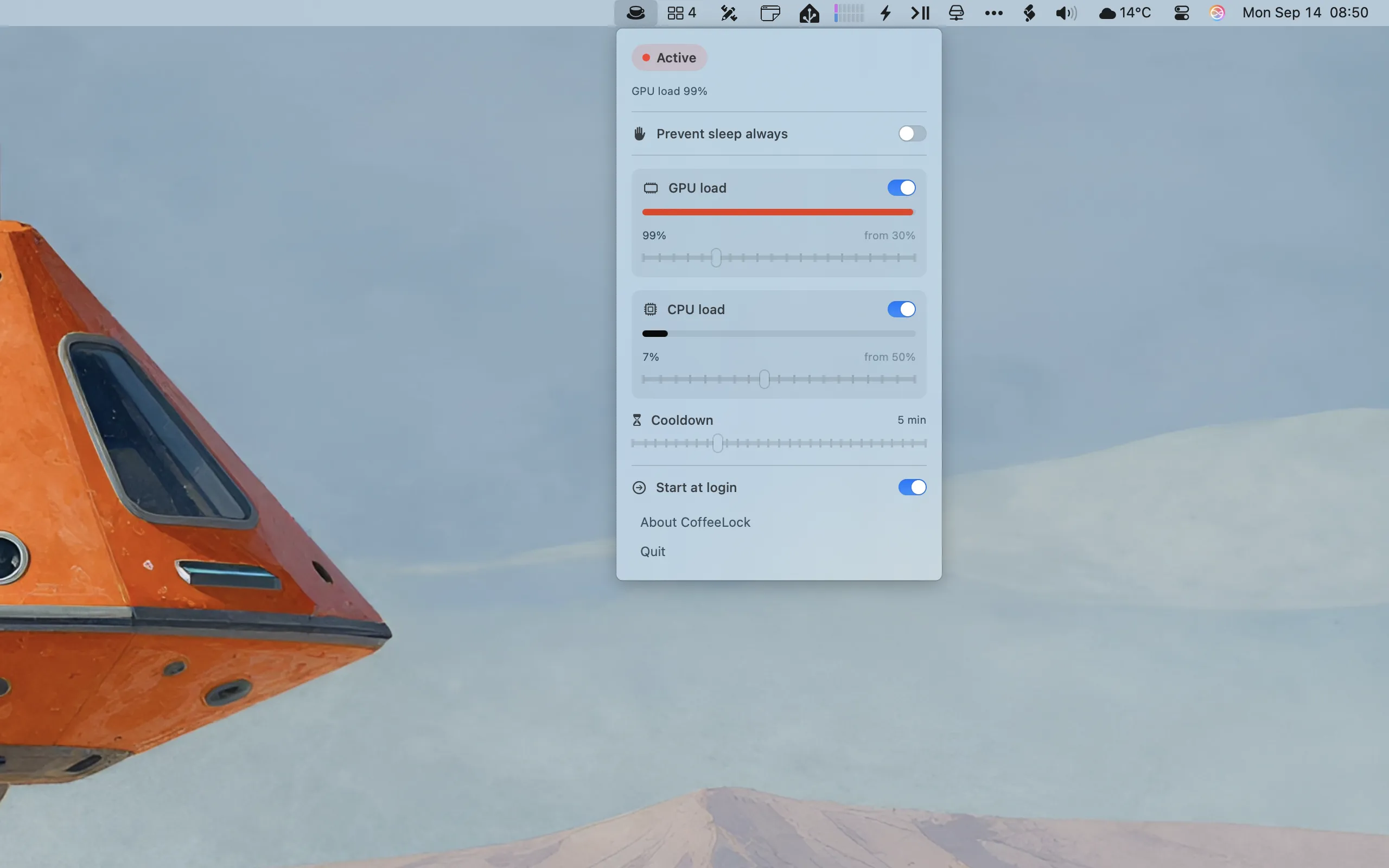
CoffeeLock does this automatically: the app monitors CPU and GPU load through native macOS APIs and activates sleep protection only while your Mac is actually busy.
Your display still turns off normally. CoffeeLock only prevents your Mac from going into idle sleep – your configured display sleep timer stays unchanged.
Features
- Automatic detection via GPU and/or CPU load – each with its own adjustable threshold
- Cooldown period after load ends, so brief pauses between jobs don’t let the Mac fall asleep immediately
- Manual "Always prevent sleep" switch for situations where sleep protection should stay active regardless of current load
- Live display of the currently active trigger and current CPU/GPU load – no guessing
- Launch at login
- Runs quietly in the menu bar – no Dock icon
Who It’s For
CoffeeLock is ideal for anyone running compute-heavy background jobs on their Mac, for example:
- local AI training
- image generation
- video rendering
- batch photo processing
- long exports and conversions
Privacy
CoffeeLock runs entirely locally on your Mac. No data collection, no tracking, no ads, and no internet connection required.
CoffeeLock is available on the Mac App Store – a one-time purchase of $1.99.

(App Store link coming after approval)

MetaData

DeskMate

Harbor

Designers Toolbox
