
/>

esse est percipi
Mountkeeper

esse est percipi     Nach oben
App Icon

Mountkeeper

Your network drives. Always connected.


Learn More

🇩🇪 Deutsch

Mountkeeper

Mountkeeper automatically mounts SMB shares in the background—quietly, reliably, and without manual intervention.

FAQ | Screenshots | Download

Automatic Mounting

Mountkeeper regularly checks whether your network shares are reachable and automatically reconnects them—after a restart, a temporary server outage, or when your Mac wakes from sleep.

Menu Bar App

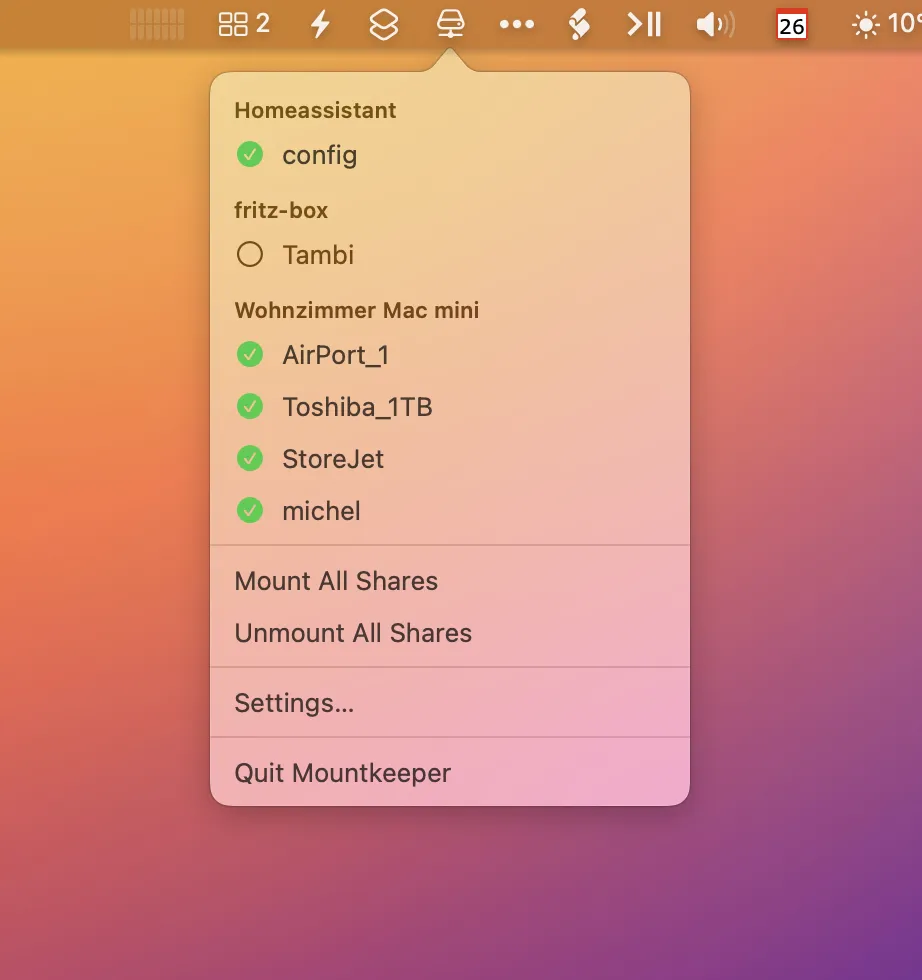
No dock icon, no window. Mountkeeper runs discreetly in the menu bar and gives you an at-a-glance overview of the status of all configured shares.

Bonjour Discovery

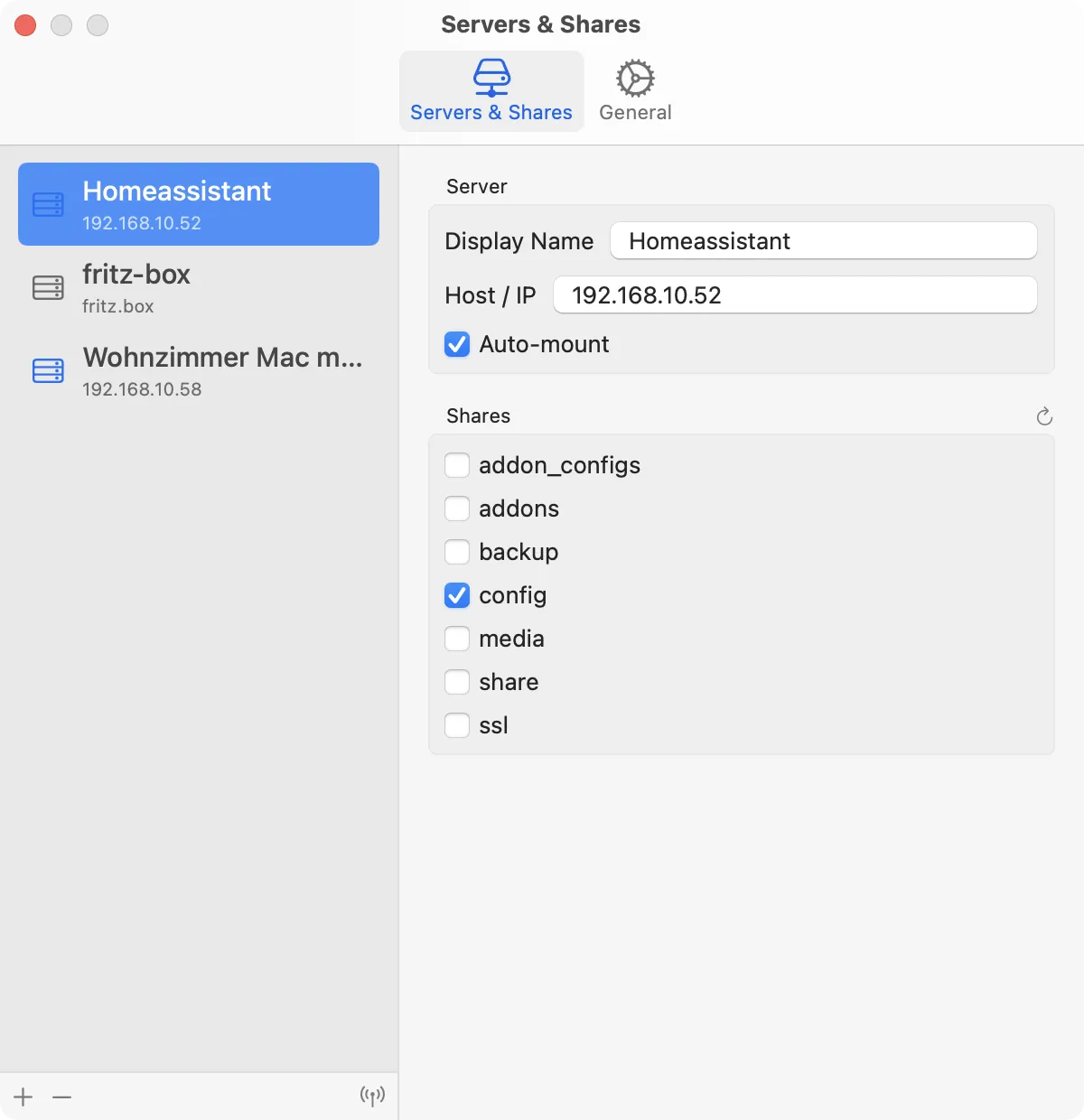
Servers on your local network are detected automatically. Simply select, add the share, and you’re done.

Keychain Integration

Credentials are stored securely in the macOS Keychain. No need to re-enter passwords.

Privileged Helper

A signed system helper service reliably cleans up orphaned mount points—even when macOS resists.

100% Local

Mountkeeper communicates solely with devices on your local network. No data is collected, no telemetry is transmitted, and no cloud is required. Your network remains your network.
FAQ


Which macOS version is required?

Mountkeeper requires macOS 15.6 or later and runs on both Apple Silicon and Intel Macs.


Which protocols are supported?

Currently, SMB only. AFP and NFS are not planned.


Why does Mountkeeper request approval on first launch?

Mountkeeper installs a system service that runs in the background and cleans up orphaned mount points. macOS requires your explicit consent once, which you grant via System Settings → General → Login Items & Extensions.


Why isn’t my Raspberry Pi showing up in Bonjour?

Bonjour discovery works only for devices that announce their SMB service via mDNS. Raspberry Pi devices running Samba do not do this by default. Alternatively, you can always add devices manually using their IP address.


What happens if a server is unreachable?

Before each mount attempt, Mountkeeper checks whether the server is reachable. If not, the attempt is silently skipped and repeated at the next interval—without showing an error message.


How often does Mountkeeper attempt to connect?

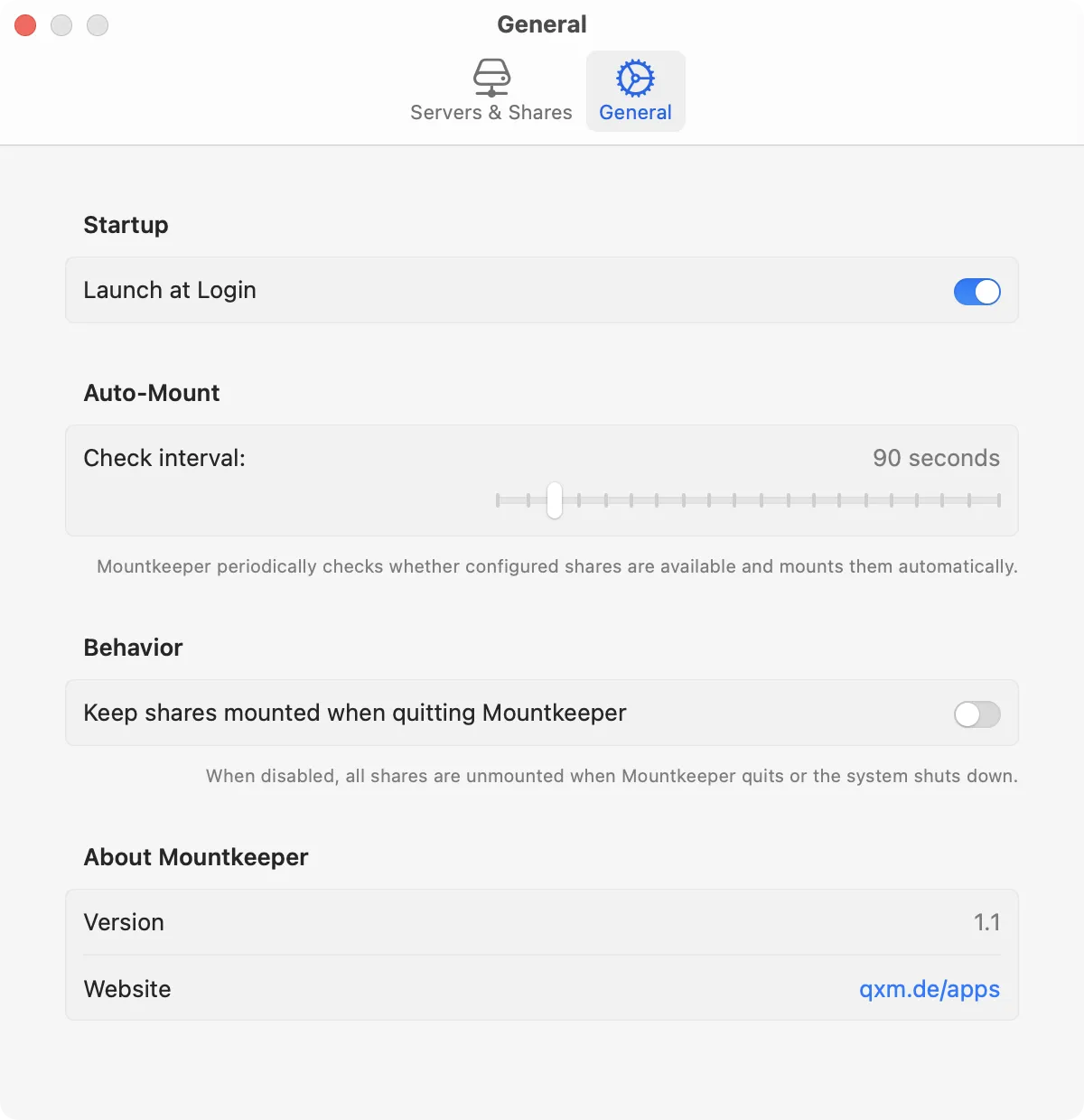
The interval is configurable—between 30 seconds and 10 minutes. The default is 2 minutes.


Are shares disconnected when the app quits?

This is configurable. By default, Mountkeeper disconnects all shares when quitting the app and shutting down the Mac, so macOS won’t attempt to reconnect them automatically on next startup.


Does the app cost anything?

No. If you’d like to support my work, feel free to explore and purchase another app I’ve developed.


Screenshots

Settings: Server&Shares

Settings: General

Menubar-App


Download

Current version: 1.1 (April 27, 2026)

What’s new?

Version 1.1

April 27, 2026
  • First public release

Download


Icon

MetaData

Icon

DeskMate

Icon

Wann war das

Icon

Hopper