


CookieCrumble
CookieCrumble is a Safari extension that lets you delete cookies and website data selectively.
Learn more
CookieCrumble – Delete Safari Cookies and Website Data Selectively
Safari Extension for Mac, iPad and iPhone
The Problem
Tracking cookies are everywhere. Anyone who has searched for a birthday gift knows the result: matching ads appearing on nearly every website for weeks. Cookies store what you’ve viewed, searched and clicked – often across multiple sites, unnoticed and over a long period of time.
But websites store even more: localStorage holds shopping carts, user profiles and app states – usually without you knowing.
The obvious solution would be to regularly delete all cookies. But that comes with a significant drawback: you get logged out of everything. Online banking, email accounts, personal settings – everything has to be set up or signed in to again.
The Solution: CookieCrumble
CookieCrumble solves this problem. The Safari extension shows you exactly which cookies and website data a site has stored – and lets you decide what stays and what gets deleted:
- View cookies for the current website and delete them individually or all at once
- Tracking cookies like
_ga,_fbpor_gidare automatically detected and highlighted in orange – deleted with one tap - Website Data: view and delete localStorage, sessionStorage and IndexedDB entries for any domain individually
- Block known trackers: Optionally removes known tracker cookies and storage entries automatically when each page loads
- Overview of all domains with stored cookies
- Whitelist shortcut: add or remove the current domain from your whitelist with a single tap on the shield icon
- Whitelist: add domains that should never be deleted – ideal for your bank, email or other important logins
- Whitelist sync: your whitelist is automatically synced via iCloud across iPhone, iPad and Mac
- Auto-Delete: automatically delete cookies and website data of a domain as soon as you close its last tab
- Interval Auto-Delete: automatically delete cookies at configurable intervals – from 30 minutes to 48 hours
- Badge in the Safari toolbar shows the current cookie count
- Available on iPhone, iPad and Mac – one purchase for all devices
- 11 languages: German, English, French, Spanish, Italian, Portuguese, Japanese, Chinese, Dutch, Polish, Korean
Note: Due to a bug in Safari, cookies with the “Secure” attribute (e.g. Cloudflare’s cf_clearance) currently cannot be deleted on iOS and macOS 27. CookieCrumble shows a notice when this happens. A bug report has been filed with Apple.
Setup & Usage
Download CookieCrumble from the App Store and open the app once. Then turn on the extension in Safari’s settings: on iPhone and iPad under Settings → Apps → Safari → Extensions, on the Mac in Safari under Settings → Extensions. Allow CookieCrumble access to “All Websites”, otherwise the extension can’t work on every page. After that you can close the app and never need to open it again.
You use CookieCrumble directly in Safari: tap the extension icon on any page to see all cookies and website data of that site, and delete them one by one or all at once. “All Domains …” lists the cookies of every site. The shield icon adds a site to the whitelist, so its cookies are never deleted, for example to stay logged in. The gear icon opens Auto-Delete, which can run when the last tab of a domain is closed and/or at a fixed interval, as well as the tracker blocker.
Good to know: Auto-Delete and the interval apply per device; only the whitelist syncs via iCloud. Auto-Delete only deletes once the last tab of a domain is closed, including in other profiles, tab groups or on other devices. To check what was deleted, look at “All Domains” in CookieCrumble, not in the website data in Safari’s settings.
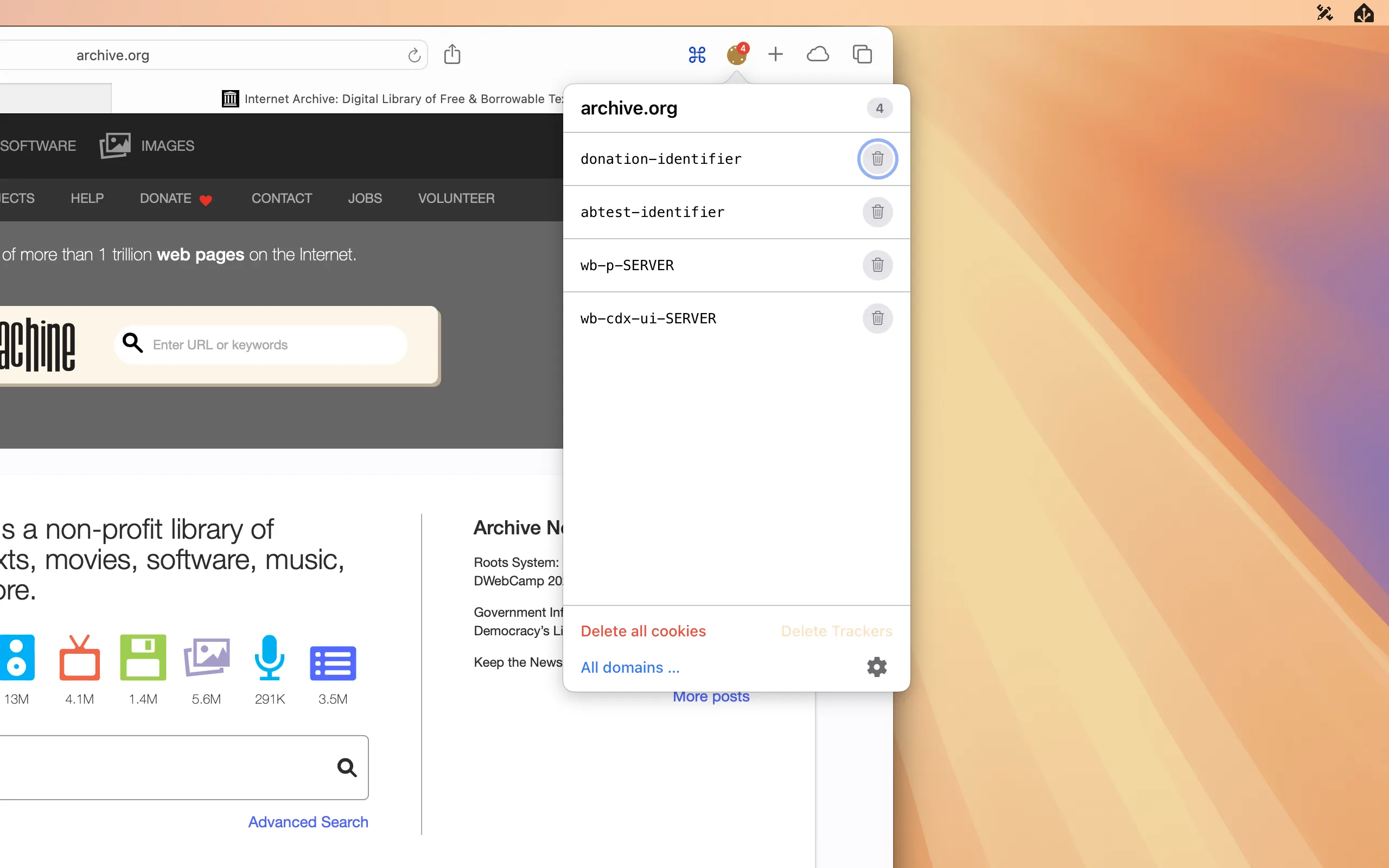
Mac
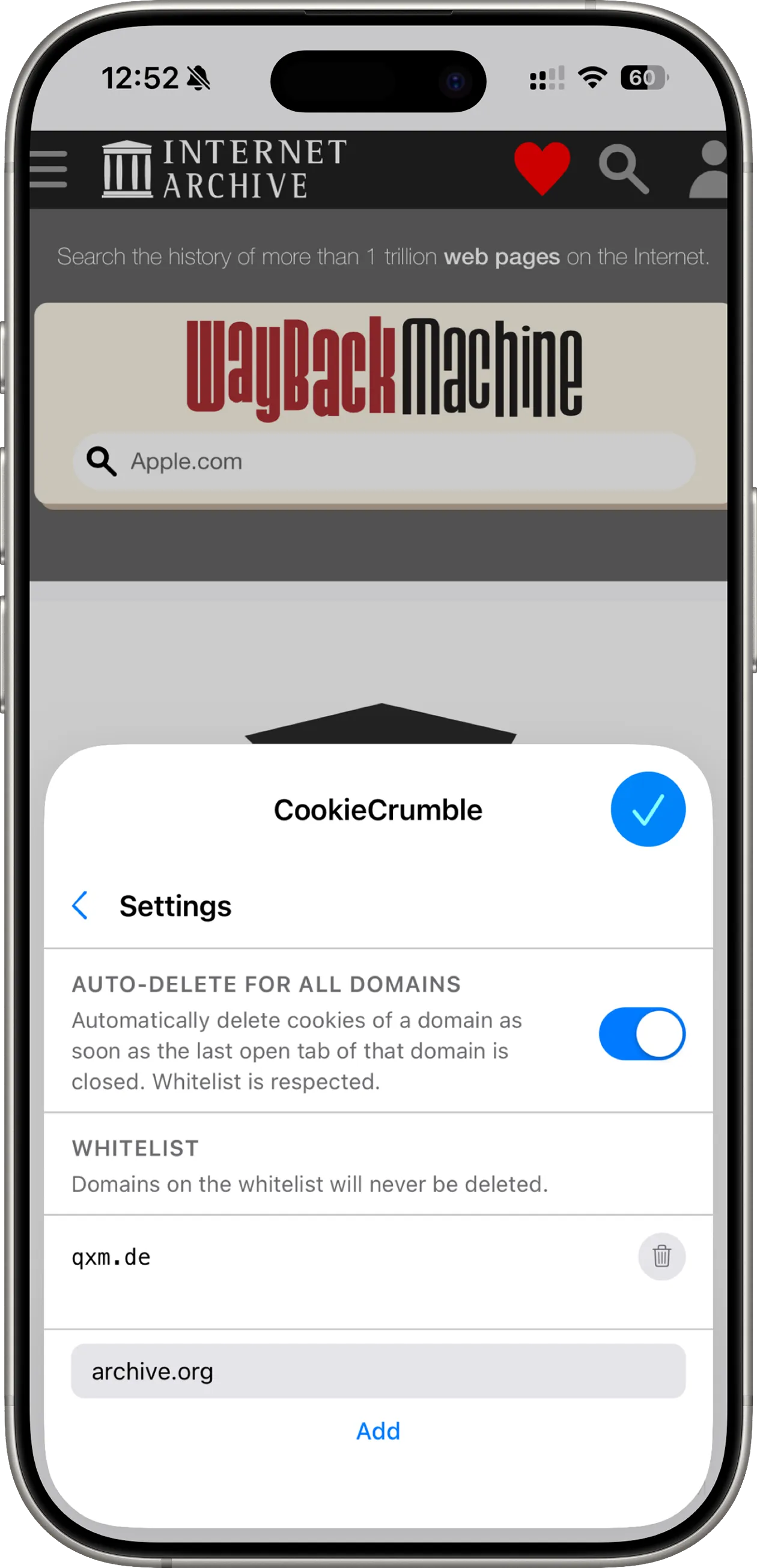
iPhone
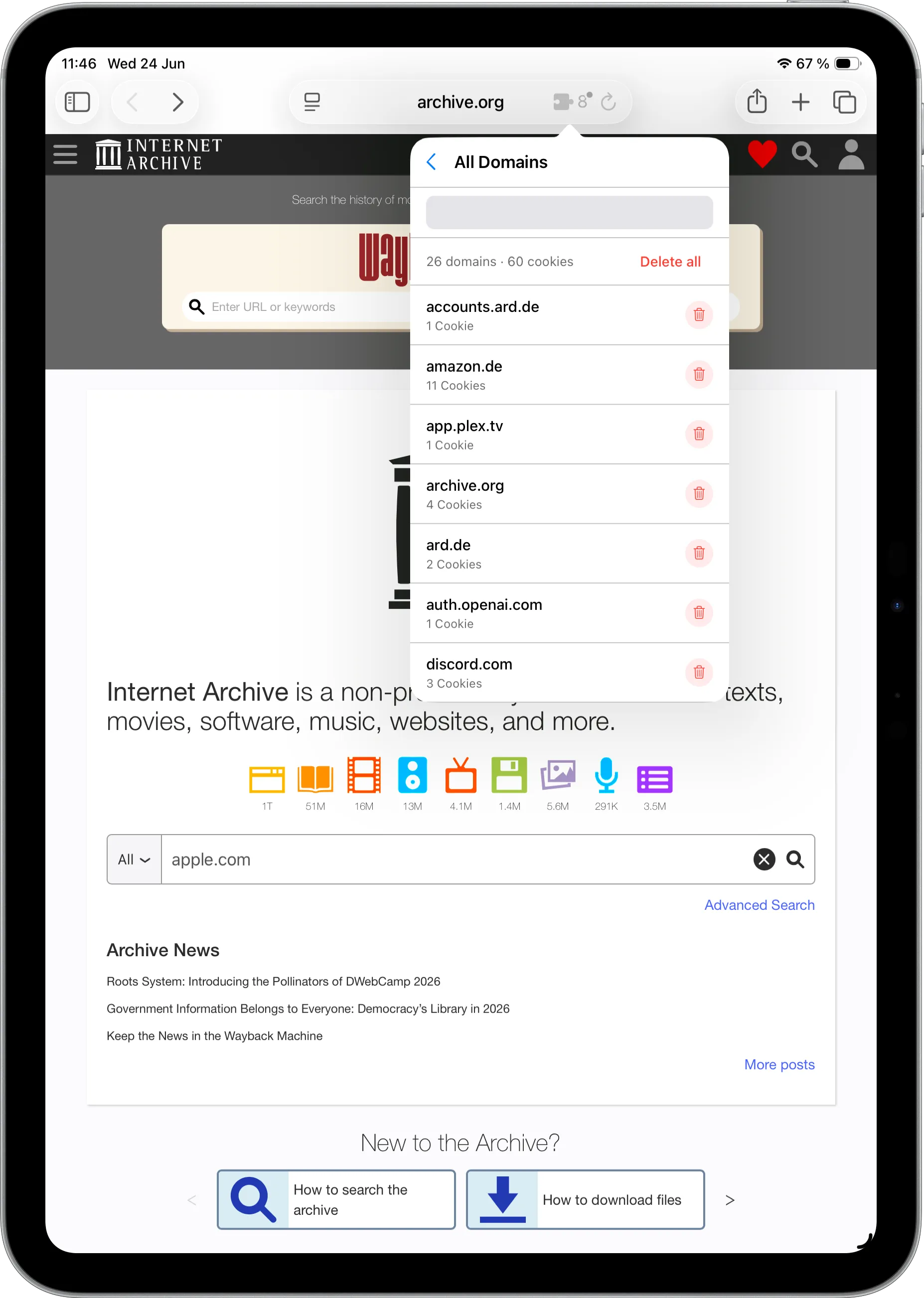
iPad
CookieCrumble is available on the App Store for Mac, iPad and iPhone. For a one-time payment of $4.99 you can use the app across all three platforms.


MetaData

DeskMate

CoffeeLock

Harbor
