


DT Helper – macOS tools for Draw Things
DT Helper is a collection of small macOS utilities that make working with Draw Things more comfortable. All tools are free, run locally on your Mac and do not share any data.
DTInspector
Browse, compare and manage your generated images
DTInspector is an image browser for your Draw Things output folder – or any other folder. Newly generated images appear automatically, all metadata is visible and copyable at a glance, and you can send images directly to the Draw Things web API for regeneration.
DT JSON Helper
Organize your JSON files
DT JSON Helper helps you manage Draw Things JSON files like custom_lora.json or custom_configs.json – sort, rename, clean up, delete.

DTInspector – Browse, compare and manage your generated images
Your Draw Things images. At a glance.
DTInspector is a macOS image browser for managing and analyzing Draw Things outputs. With this app, you have the following options:
- Browse images: Open your Draw Things output folder – or any other folder – and navigate through your images using arrow keys, mouse clicks or Cmd+Home/End. Newly generated images appear automatically in the list – no manual refresh needed.
- View metadata: See all Draw Things embedded data at a glance: Prompt, negative prompt, sampler, steps, seed, model, guidance scale, size, shift, LoRAs with weighting and render time. Prompt, negative prompt and the full config are copyable on click.
- Regenerate in Draw Things: Send all metadata of an image directly to the Draw Things web API and restart generation with the same settings. Requirement: HTTP server enabled in Draw Things settings (port 7860).
- Sort: Sort your images by name (A–Z or Z–A) or creation date (newest or oldest first).
- Finder tags: Assign color tags directly in DTInspector via context menu, edit menu or keyboard shortcut (Cmd+Ctrl+1–7). Tags are immediately visible in Finder.
- Multiple selection: Select multiple images via Cmd+click or Shift+click and delete them with Cmd+Delete (with confirmation) or Alt+Cmd+Delete (immediately).
- Quick Look: Press the spacebar for a full-screen preview.
- Subfolders: Subfolders are displayed as expandable groups in the sidebar.
Supported file formats: JPEG, PNG, WebP, HEIC, TIFF.
Screenshot
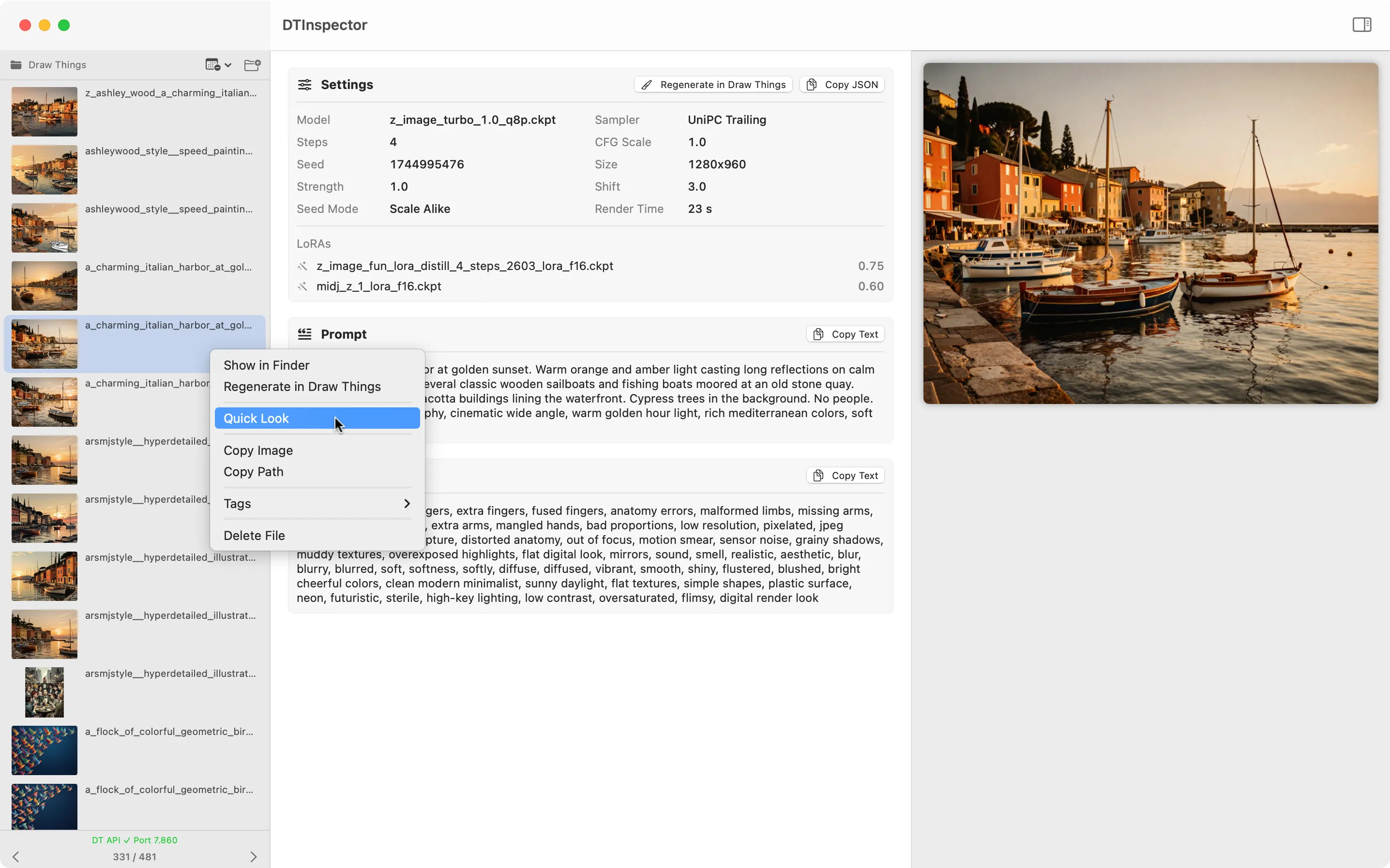
DTInspector
Download DTInspector
Current version: 1.0.2 (September 2, 2026)
New in this version?
Version 1.0.2
September 2, 2026- New: Thumbnail size in the sidebar is now freely adjustable via slider
- Bugfix: Filenames in the sidebar are now displayed in full
- Bugfix: Accidentally dragging an image within the list no longer replaces the currently open folder
Version 1.0.1
August 21, 2026- Bugfix: The last opened folder is now automatically restored on next launch
- Bugfix: Fixed a file descriptor leak – after extended use, file descriptors were not properly closed, which could cause thumbnails, preview images and Quick Look to stop working
Version 1.0
August 17, 2026- Release of the first version.
Frequently asked questions
Where can I find my Draw Things output folder?
In Draw Things under Settings → Output, the output path is displayed. Simply open this folder in DTInspector.
Why are no metadata displayed for some images?
DTInspector reads the metadata that Draw Things embeds into image files. Images from other sources or older Draw Things versions may not contain this data.
Why does "Regenerate in Draw Things" not work?
The HTTP server must be enabled in Draw Things settings (port 7860). Also check if Draw Things is running and the status bar in DTInspector shows "DT API ✓ Port 7860".
Are deleted images permanently removed?
No. DTInspector moves files to the macOS Trash. They can be restored at any time.
Are my data stored or transmitted anywhere?
No. DTInspector runs completely locally on your Mac and does not transmit any data.
Which file formats are supported?
JPEG, PNG, WebP, HEIC and TIFF.
Is DTInspector free of charge?
Yes, completely free of charge and without restrictions.

DT JSON Helper – Organize your JSON files
The missing tool for Draw Things users
DT JSON Helper is a macOS tool for managing Draw Things JSON files. With this app, you have the following options:
- Change order: Organize entries by drag & drop in the desired order to keep your menus in Draw Things clear
- Rename: Quickly and easily rename entries
- View details: View the complete JSON code of individual entries
- Delete: Remove unwanted entries
- Clean up: Find and remove entries that point to files that no longer exist. It may happen that JSON entries are still present even though the associated files (e.g. LoRAs, ControlNets) have already been deleted. The cleanup function automatically detects these orphaned entries.
Supported files: custom_lora.json, custom_configs.json, custom_prompt_style.json, custom_controlnet.json and other Draw Things JSON files.
Important: Use of this app is at your own risk. Always work with copies of your JSON files to avoid accidental data loss. Close Draw Things before saving to prevent possible conflicts.
Screenshots
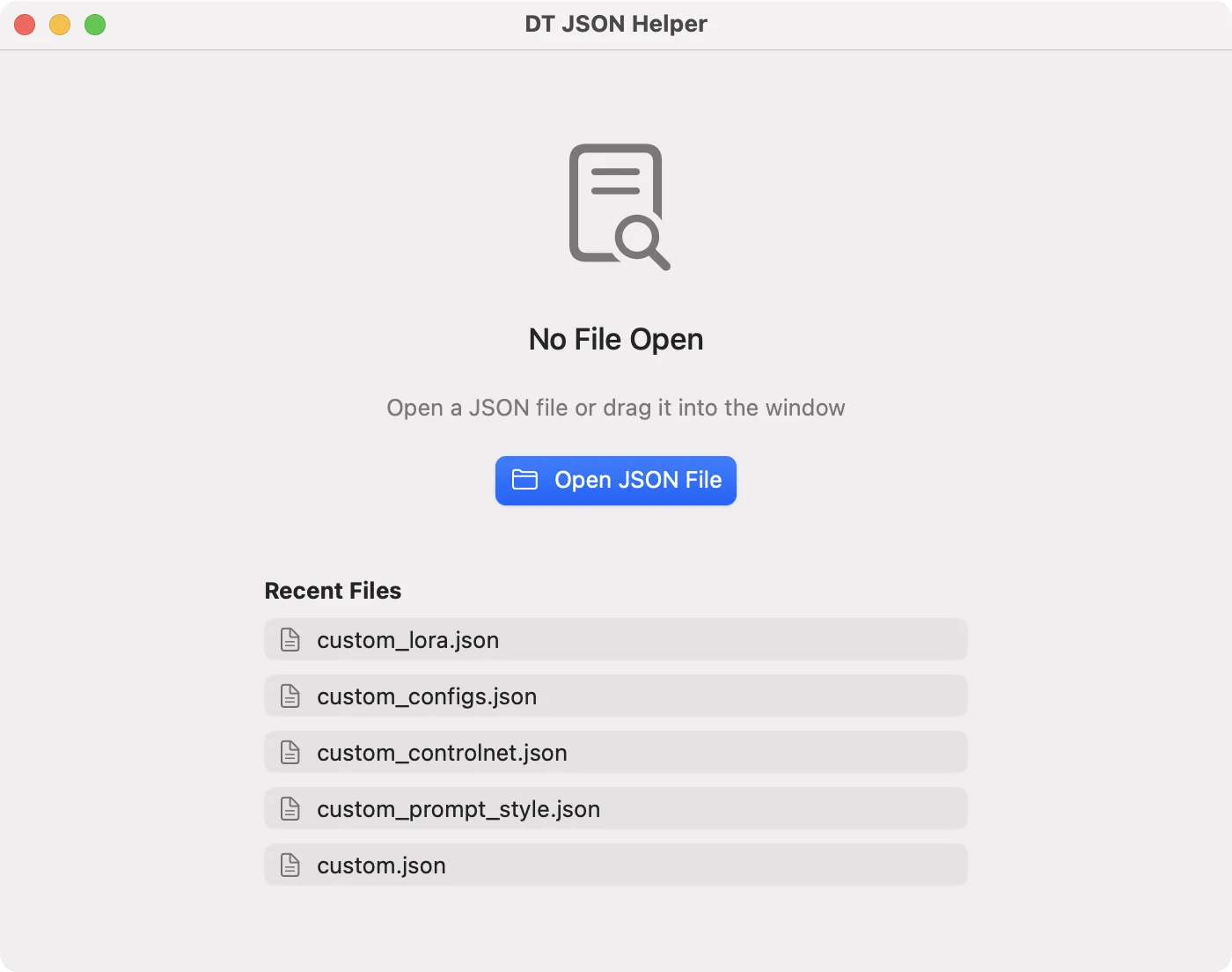
The startup window shows the five most recent files
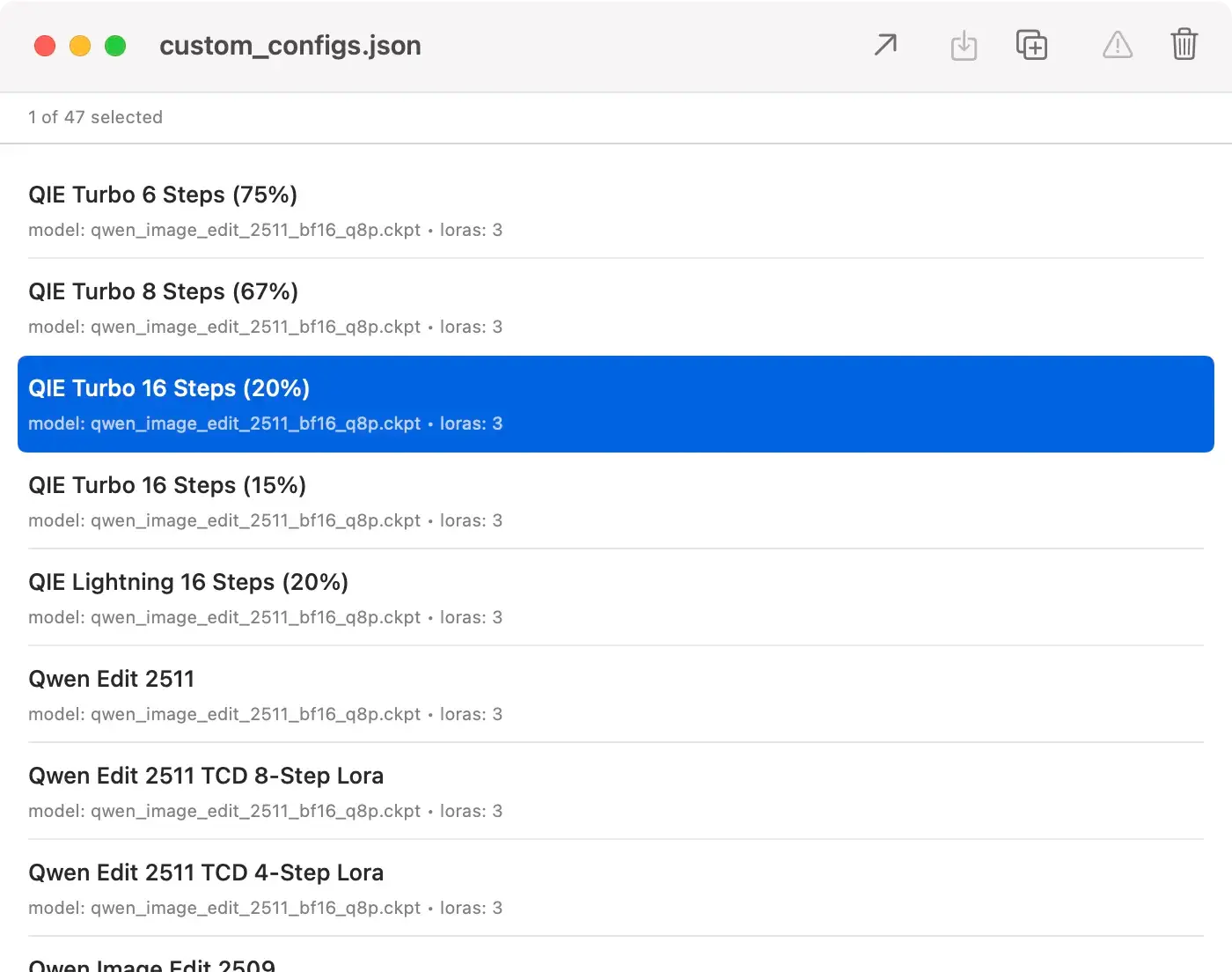
The opened custom_configs.json file
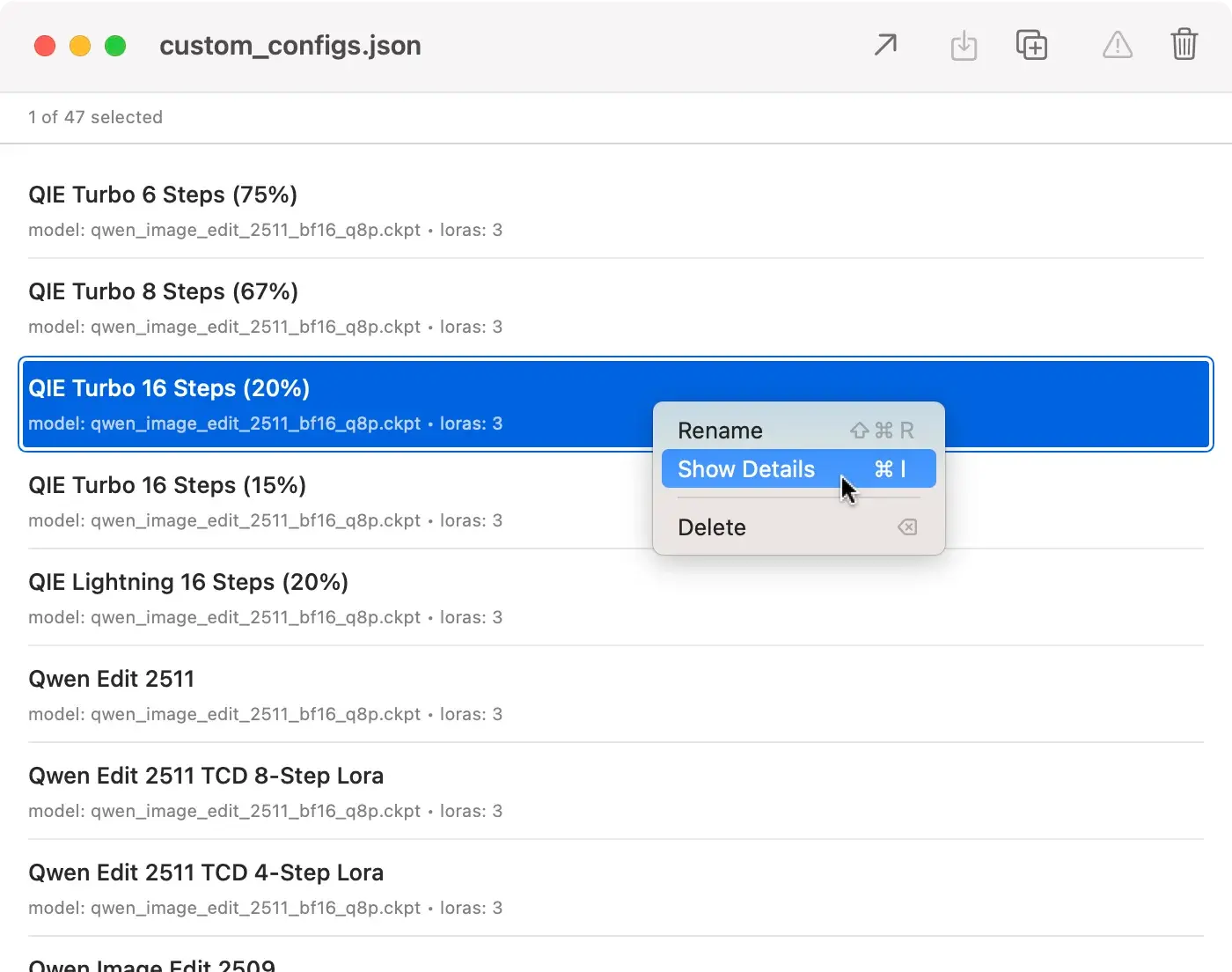
The context menu
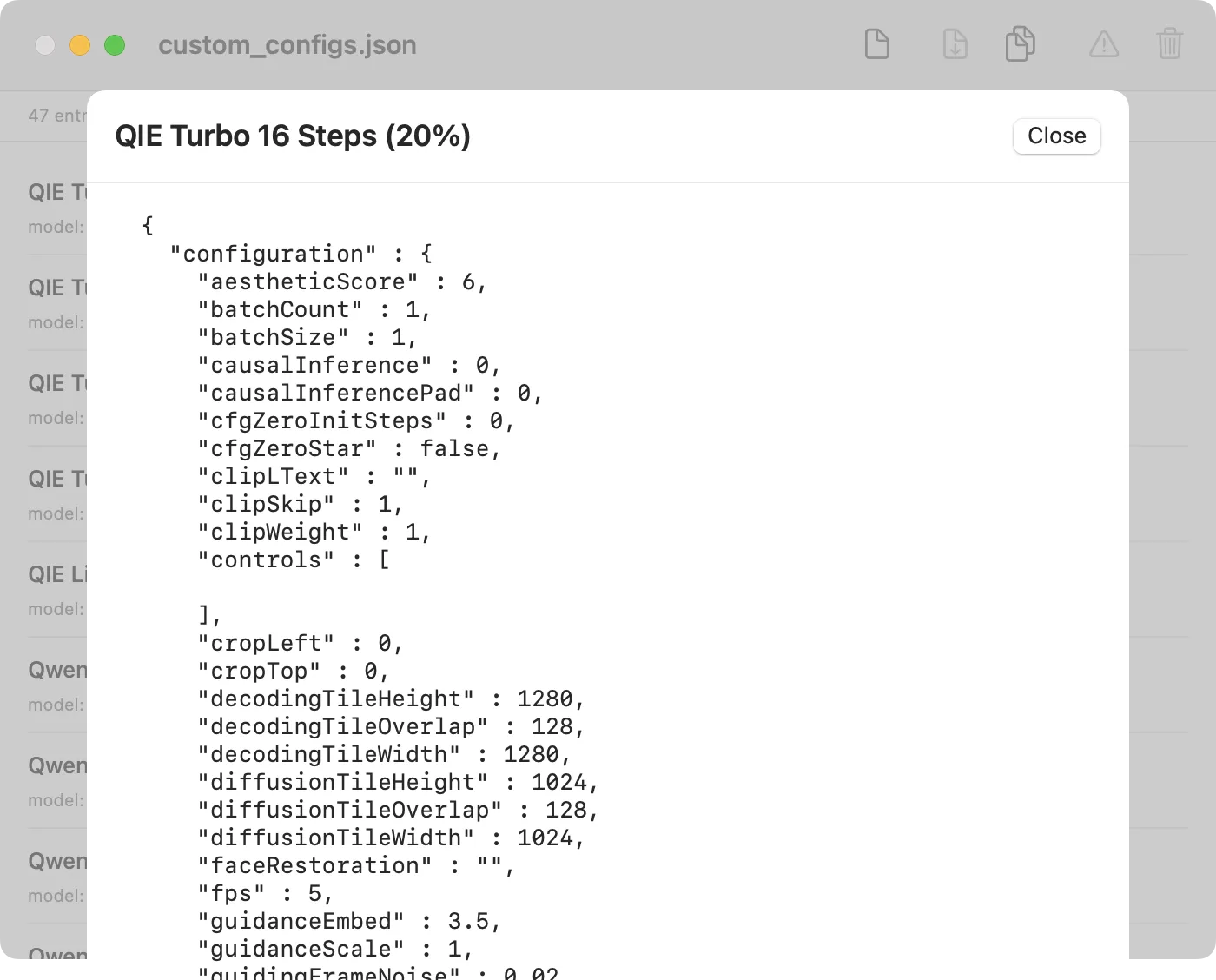
Detail view of a JSON object
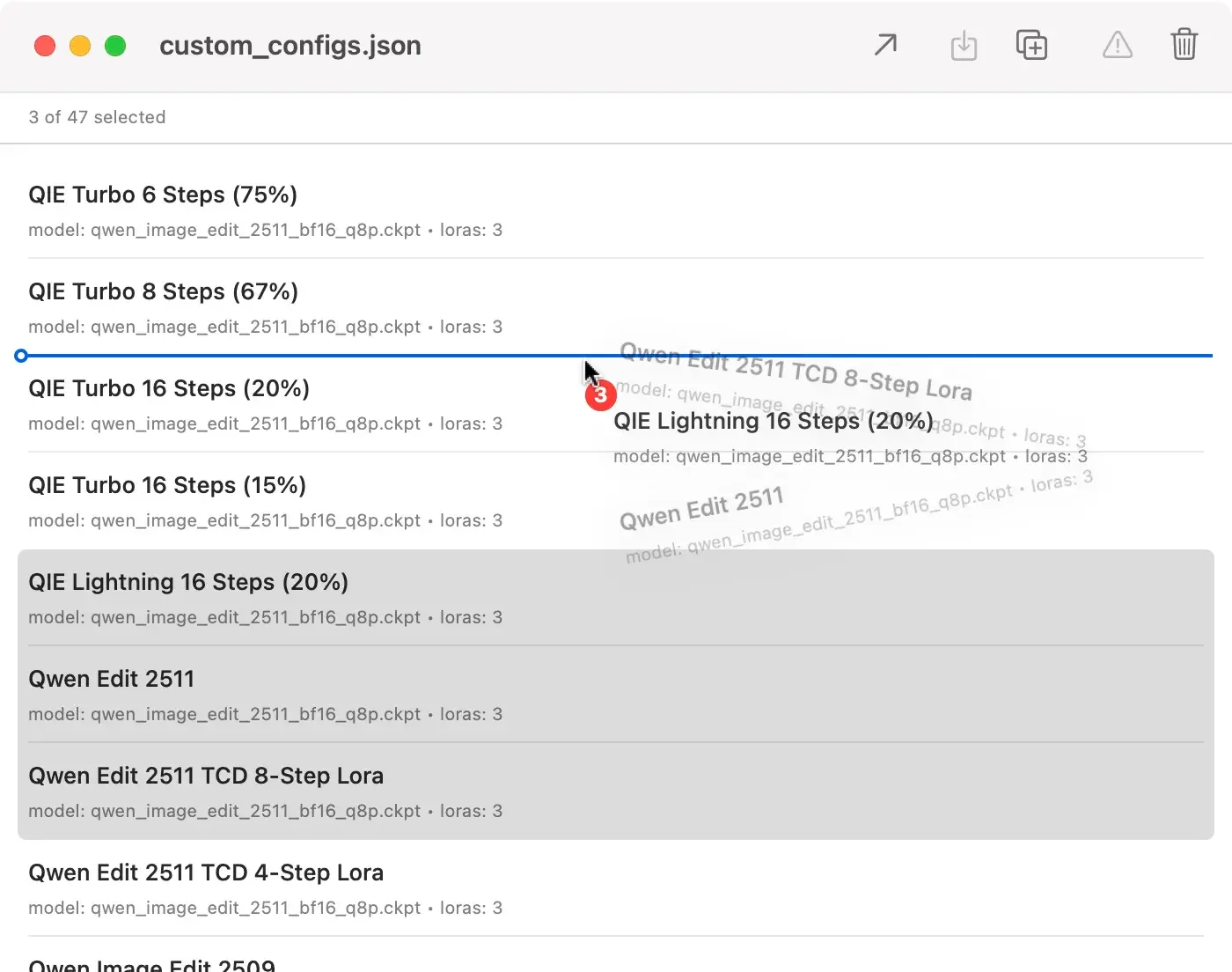
Entries can be reordered
Download DT JSON Helper
Current version: 1.0.1 (February 7, 2026)
New in this version?
Version 1.0.1
7 February 2026-
Complete localization: All menu items and dialogs are now fully available in German and English
- Navigation in the detail view: In the detail view, you can now navigate through all entries using Back/Forward buttons or arrow keys (←/→) without having to close the window
- Improved window size: The detail view now dynamically adjusts to the size of the main window
Version 1.0
7 February 2026- Release of the first version.
Frequently asked questions
What is DT JSON Helper?
DT JSON Helper is a macOS tool for managing Draw Things JSON files. You can sort, rename, delete entries and clean up missing files.
Where can I find the Draw Things JSON files?
Usually in this folder:
~/Library/Containers/com.liuliu.draw-things/Data/Documents/Models/
To get there, press ⇧⌘G in Finder and enter the path.
Which files are supported?
All Draw Things JSON files with array structure, especially:
- custom.json
- custom_lora.json
- custom_configs.json
- custom_prompt_style.json
- custom_controlnet.json
What does the cleanup function do?
It finds entries that point to files that no longer exist (e.g. deleted LoRAs) and offers to remove them. This keeps your JSON files clean.
Can I undo changes?
No. Create a copy of the file beforehand or use "Save As..." for a backup.
Do I need to close Draw Things?
Yes, recommended. Draw Things may overwrite your changes when closing. The app warns you if Draw Things is running.
Which macOS version is required?
macOS 15.2 (Sequoia) or newer.
Does the app cost anything?
No.
Other apps

MetaData

DeskMate

CookieCrumble for Safari

Hopper